Rhino vs Matrix: Which Jewellery CAD Software to Learn?
By GJA Gem & Jewellery Academy · Published · 4 min read
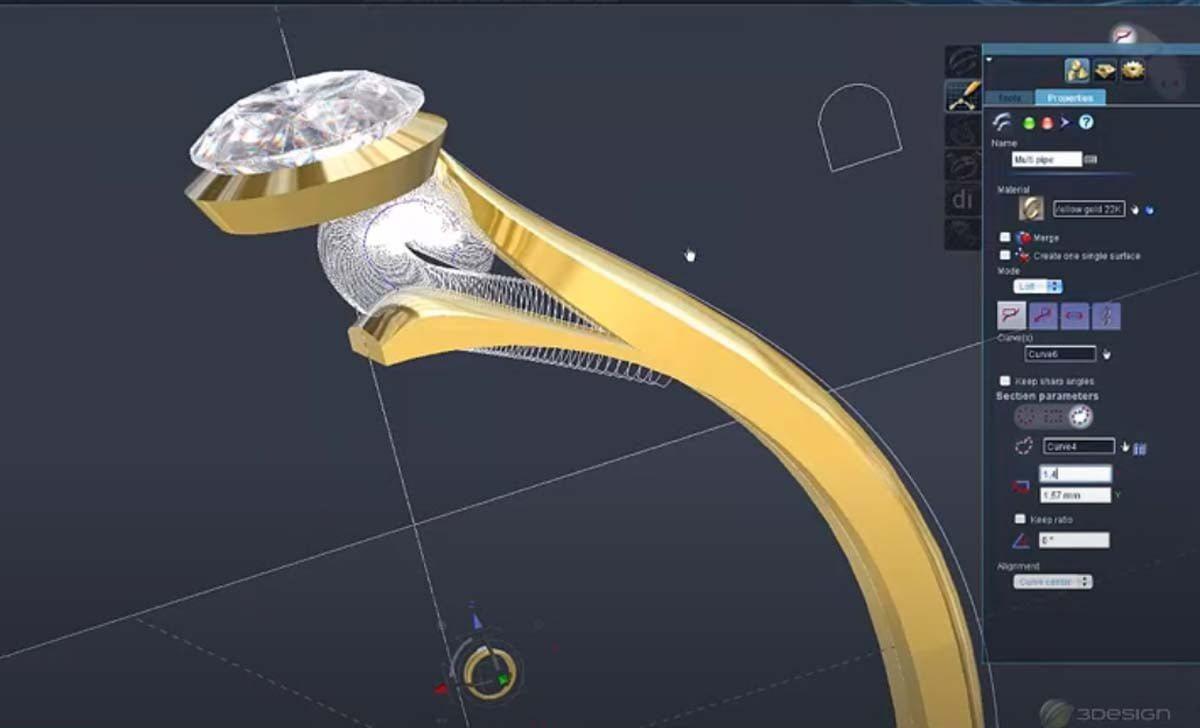
Rhino is a general 3D modelling program; Matrix is a jewellery design toolkit that runs inside Rhino. So the real choice is not one or the other. Jewellery CAD designers learn Rhino's modelling basics, then use Matrix's jewellery tools on top of it to build rings, settings and gem layouts much faster.
This guide explains what each one does, why most jewellery manufacturers use them together, and how to learn them.
What is Rhino?
Rhino (Rhinoceros 3D) is a 3D modelling program made by Robert McNeel & Associates. It is used in product design, architecture, marine design and jewellery. Rhino builds shapes from precise curves and surfaces (NURBS), so a ring shank or a gallery can be drawn to exact millimetre measurements and edited cleanly. That precision is why it became popular in jewellery, where a model has to be printed, cast and set without surprises.
On its own, Rhino has no jewellery-specific tools. You can model anything in it, but a prong setting or a pavé layout is built step by step from basic curves and surfaces.
What is Matrix?
Matrix is jewellery design software that runs on top of Rhino. It was developed by Gemvision, which is now part of Stuller, and its current version is called MatrixGold. Matrix adds ready-made tools for the things jewellers do every day:
- ring shanks and profiles in any finger size
- gem libraries in standard cuts and sizes
- settings such as prongs, bezels, channels and pavé, placed around stones automatically
- gem layouts along curves and across surfaces
- metal weight estimates for gold, silver and platinum
- realistic renders for showing customers a design before it is made
Because Matrix runs inside Rhino, everything Rhino can do is still available. Designers switch between Matrix's quick jewellery tools and Rhino's precise modelling in the same file.
Rhino vs Matrix at a glance
| Rhino | Matrix | |
|---|---|---|
| What it is | General 3D modelling program | Jewellery design tools that run inside Rhino |
| Best at | Precise, custom shapes of any kind | Rings, settings, gem layouts and weights, quickly |
| Learning curve | Modelling concepts first, then speed comes with practice | Faster for standard jewellery once Rhino basics are clear |
| Output | 3D models, STL files for printing | The same, plus jewellery renders and weight reports |
Which should you learn first?
Learn Rhino's basics first, then Matrix. Matrix makes standard pieces fast, but when a design needs something its tools do not offer, such as an unusual shank, a sculpted motif built from curves or a fix to a model that will not print, you need to understand Rhino underneath. Designers who only know the Matrix buttons get stuck on exactly those jobs.
Hand drawing still comes before both. CAD assumes you already know how jewellery is built: where the metal needs to be thick, how a setting holds a stone, how a piece sits on the body. That is why most jewellery design courses, including GJA's, teach manual designing before CAD. Our guide on the jewellery designing course after 12th explains the full sequence.
What about other jewellery CAD software?
Other programs are used too. ZBrush is popular for sculpted, organic pieces such as figures and floral work, and some workshops use other jewellery CAD packages. The skills carry over: once you understand modelling, settings and preparing files for printing in one program, learning another is much quicker. Rhino and Matrix remain a common pairing in Indian jewellery manufacturing, so they are a safe place to start.
From model to finished jewellery
A CAD model is the start of production, not the end. A typical path is:
- model the piece and place the stones
- check wall thickness, prong strength and metal weight
- render it for the customer to approve
- export an STL file for a 3D printer, which prints a wax or resin model
- cast the model in metal, then finish, set and polish it
A good CAD designer thinks about every one of these steps while modelling, which is why employers value designers who have also learned manual design and manufacturing.
Learning Rhino and Matrix at GJA
GJA's Professional Jewellery Design in CAD course takes 4.5 months and teaches 3D jewellery design in Rhino and Matrix: modelling, settings with gemstones, rendering, weight calculation and exporting STL files for 3D printing. GJA is an official training partner of Rhino 3D and Matrix in India. The course is also part of the 11 month Diploma in Jewellery Designing. If you mainly need clean 2D drawings for catalogues, the 1 month CorelDRAW course may suit you better.
Frequently asked questions
Can I learn Matrix without Rhino?
No. Matrix runs inside Rhino, so you always use Rhino when you use Matrix. Learning Rhino's basics makes Matrix much easier.
Is Rhino enough for jewellery design?
Yes, you can design any piece in Rhino alone, but it takes longer. Matrix speeds up the repetitive jewellery work such as settings and stone layouts.
Do I need to know drawing for CAD?
It helps a lot. You do not need to be an artist, but understanding how jewellery is constructed, which you learn in manual designing, makes your CAD models practical to make and wear.
See all jewellery designing courses in Hyderabad or contact us for the next CAD batch.